Note: This article was written in season 5.5 and was not properly updated since then. Although the most of the information is still true, some signs of the bots are not.
When you start playing MR, you may notice that some matches don’t feel like the others. Opponents behave weird: sometimes they rush in as a full group, and other times they die one by one.
If you’re playing Quick Match, probably your weird opponents are bots.
Matchmaking in MR’s QP is designed so that if you lose too often, the game may put you into a match against bots instead of real players. This is likely done to prevent frustration from constant losses and to keep players from quitting the game too early.
You can feel differently about this feature. Most people I play with don’t like it, because they feel deceived and “used.” However, leaving such a match early is punished the same way as leaving a match with real players.
Signs You’re Playing With Bots
You can identify bot matches by the following signs:
-
Bots only appear in Quick Matches. There are no bots in Competitive mode.
-
Bot matches most often follow a 4 + 2 vs 6 pattern. Where 4 are real players on your team (including you), 2 are bots on your team, and 6 are bots on the enemy team.
-
Bots on the enemy team always play in a 2-2-2 composition: two tanks, two damage dealers, two supports.
-
Bots never have Lords on any character.
-
Bots use default skins.
-
Bots on your team do not confirm their characters until the selection timer runs out. Their picks are chosen to complete your team to a 2-2-2 composition. Whenever possible, they also complement real players’ team-ups.
-
All bots (both on your team and the enemy team) are low-level accounts, usually below level 10.
-
Most bots use one of the Season 0 avatars.
-
Bot nicknames look like real ones, but usually not something a human would actually type. A common pattern is two meaningless words written without a space. For example, TvorMav.
-
Bots on your team use various sprays, often unrelated to their characters. They place them at spawn before the match starts while sending meaningless pings in chat (such as ultimate status or healing requests).
-
Bots on the enemy team often use ultimates together (for example, Groot and Moon Knight). However, not all of them understand how their ultimates or abilities are normally used. For example, if a bot Jeff eats you, it will just carry you around the map instead of throwing you off like a real player would. A bot Rocket throws B.R.B. in random locations.
-
Bots frequently switch characters during the match, usually without any clear reason.
-
Bots cannot destroy obstacles to pass through. For example, they walk around Groot’s walls instead of shooting them.
-
Bot profiles cannot be viewed. The message shown for bots is different from the one shown for real players who have adjusted their privacy settings.
-
On escort maps, defending bots never push toward spawn at the start of the match and generally stay away from the payload (even flankers). At the beginning of any match, they tend to move toward the objective as a coordinated group.
-
After capturing a point or payload, bots do not stay to hold it — they always push forward if they see enemies.
-
Bots on your team are the first to leave voice chat after the match ends.
-
Bots do not display which platform they are playing on (PC or console).
Depending on the phase of the match, you can determine whether you’re playing with bots or not.
During loading — check avatars, levels, and nicknames (you can press on the loading screen to see them).
In the lobby — try selecting different heroes and watch how the last two “players” who haven’t confirmed yet react, if there are any.
During the match — look at nicknames, observe ultimate usage, and how often players switch heroes. You can also simply ask in chat. (Bots won’t respond.)
After the match — check profile availability in match history or look up the match on sites like tracker.gg, which can display bots in match summaries.
Example
During loading, it’s always worth pressing to see who you’ll be playing against. In Competitive mode, loading takes longer, so the hero list is always shown. In Quick Matches, you need to press a button to display it.
Here’s an example of what bots look like on the loading screen:
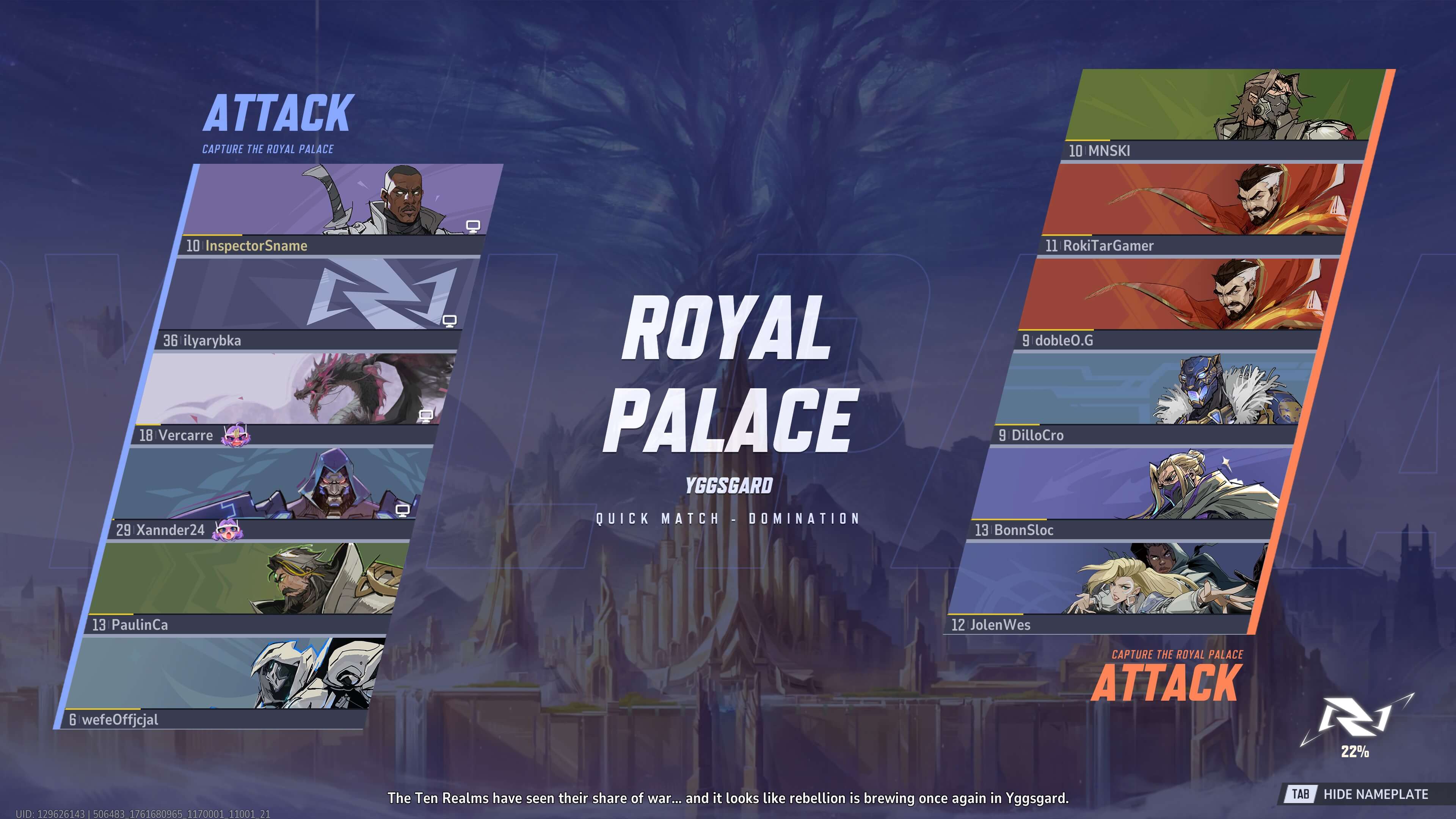
For the two characters on the left and all characters on the right:
-
No platform icon is displayed.
-
Pseudo-nicknames. “dobleO.G” looks like “doubleOG”, but not quite. “RokiTarGamer” is almost “RookieGamer”, but not exactly. “MNSKI” and “wefeOffjcial” sound like they should mean something, but don’t. Others follow the “two meaningless words without a space” pattern.
-
Season 0 avatars.
-
Low level.
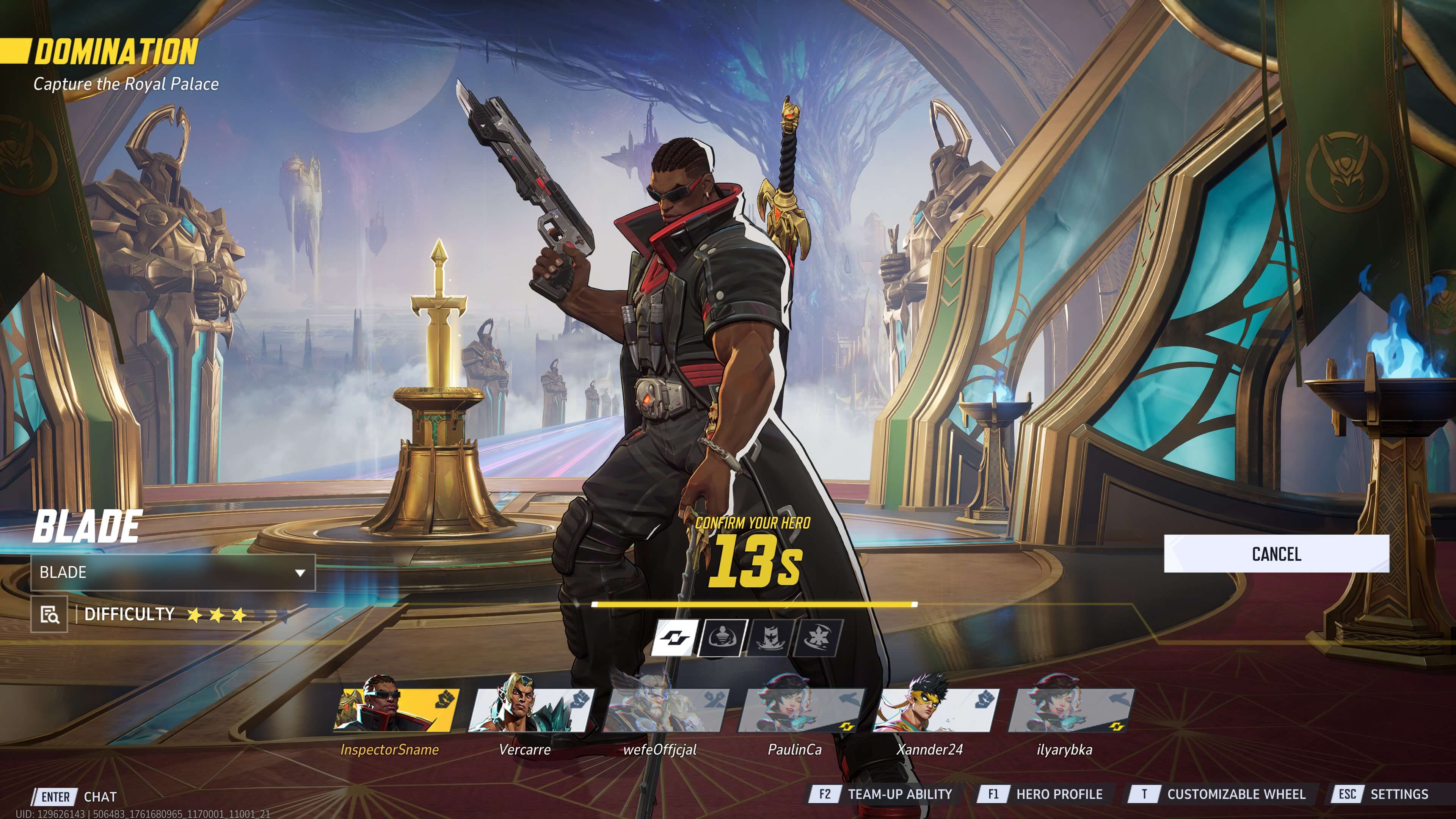
In the lobby, the situation doesn’t change. The two players in the center are bots, and they do not confirm their characters until the very end. They pick what’s missing for a 2-2-2 composition: a tank and a support.
There is also a third player in the example who hasn’t confirmed a hero, but that player is real, as seen in the first screenshot: no avatar, high level, and a platform indicator.
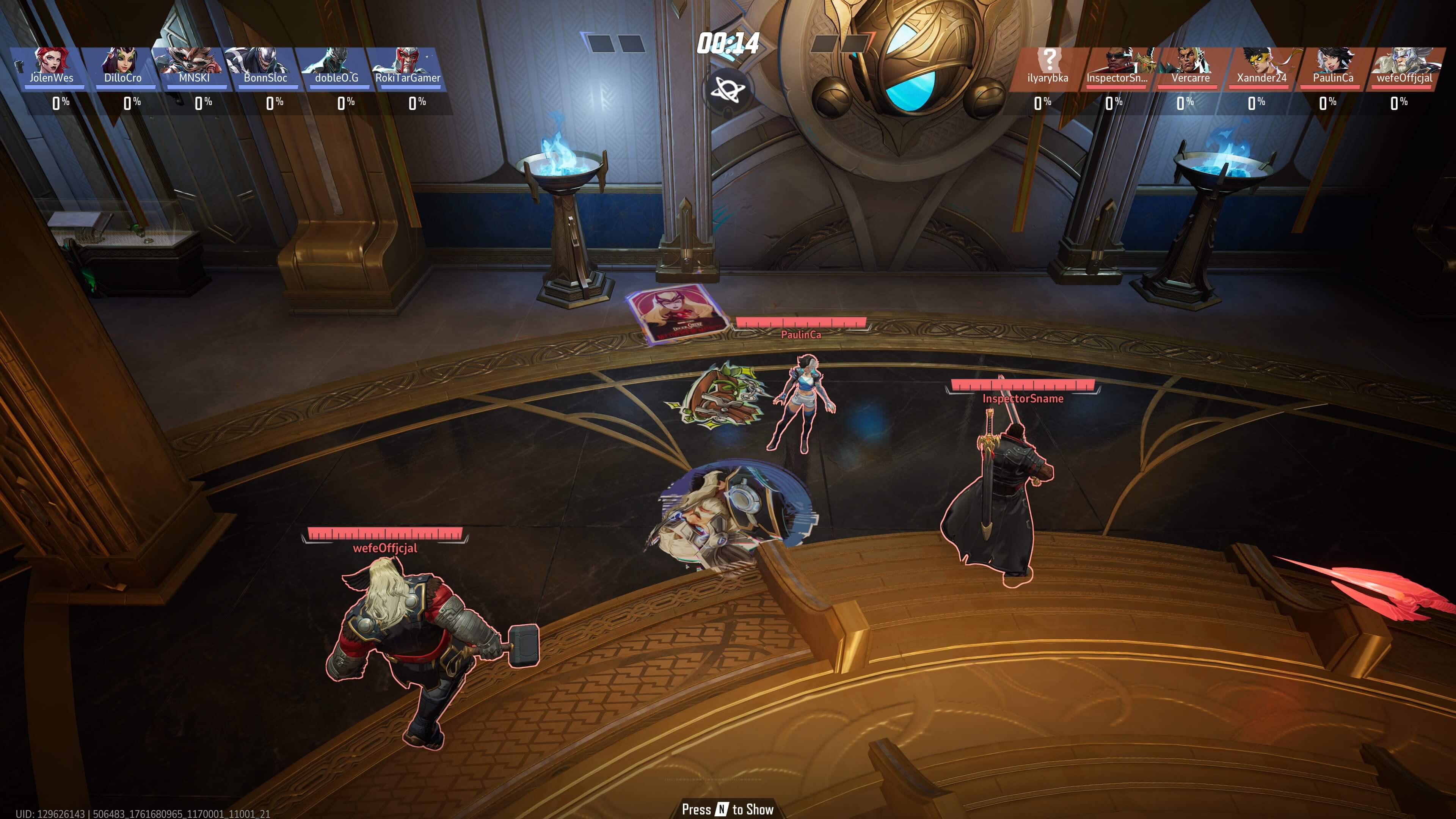
At the start of the match, bots place sprays unrelated to their characters. Real players usually use meme sprays, event-related sprays, or ones tied to their characters.
(There’s a Thor spray here, but it was placed by Luna Snow.)
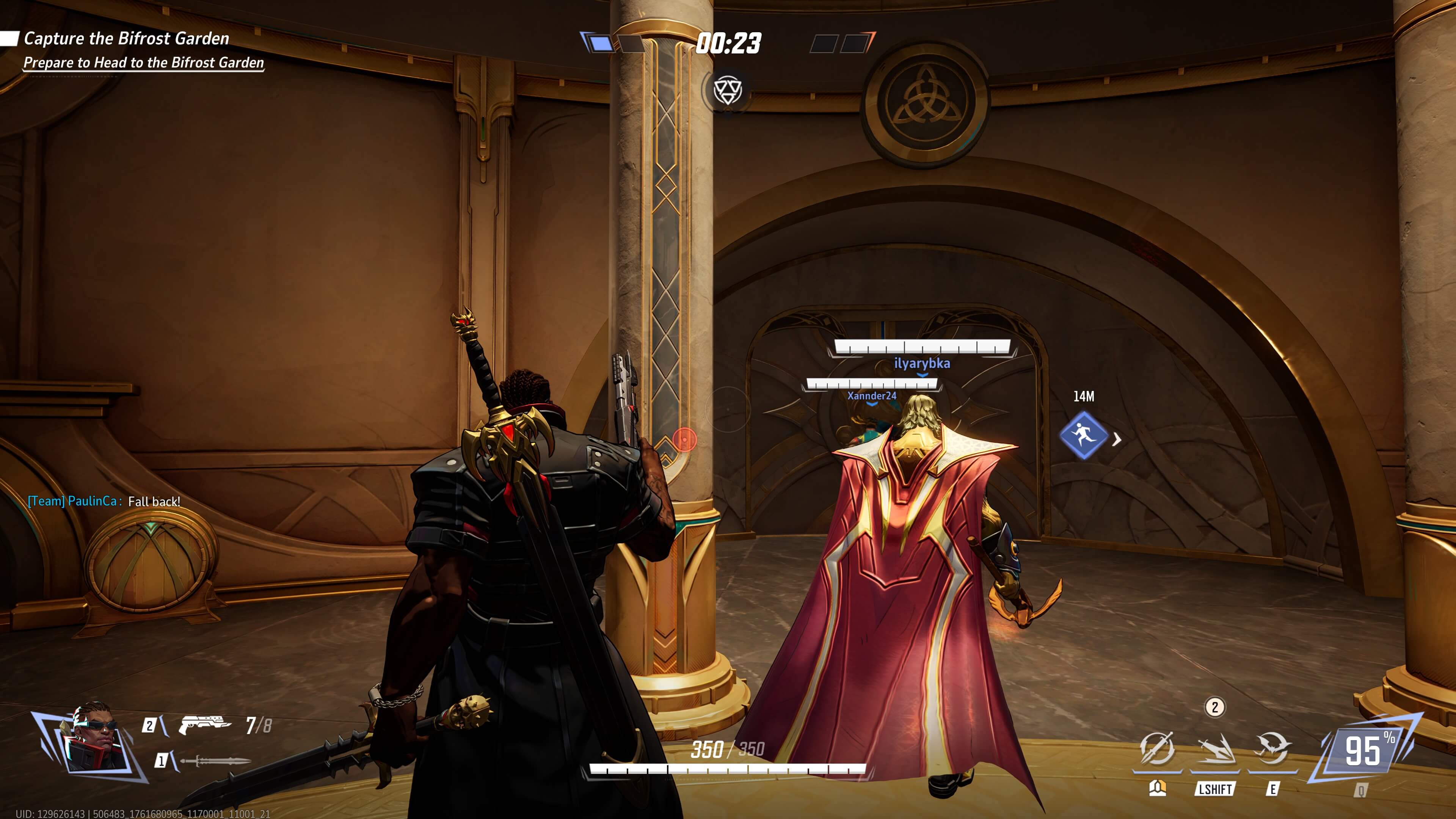
Here you can see a bot Luna suddenly calling for retreat while we are at spawn.
This can happen with regular players due to misclicks, but bots rarely go without doing this.
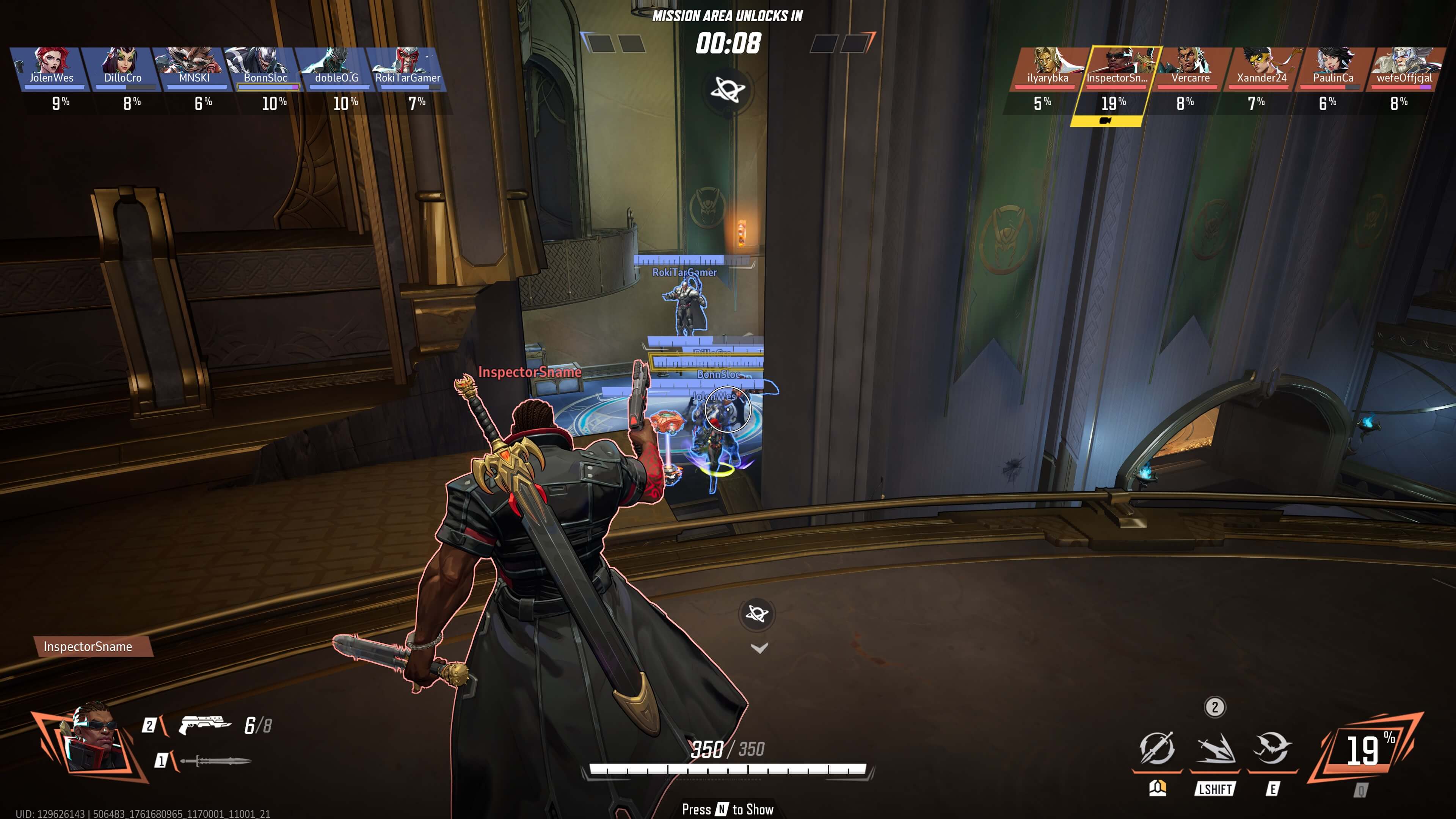
At the start of the match, five out of six players push the objective through a narrow corridor without trying to flank. Meanwhile, Rocket throws B.R.B.. right in front of the enemies.
Moreover, they went this way because one of the main paths on the map is blocked by a destructible wall. Bots don’t intentionally destroy objects — only accidentally.
A bot Magik uses her ultimate without a clear reason and then doesn’t know what to do because no enemies are visible. She just jumps in place.
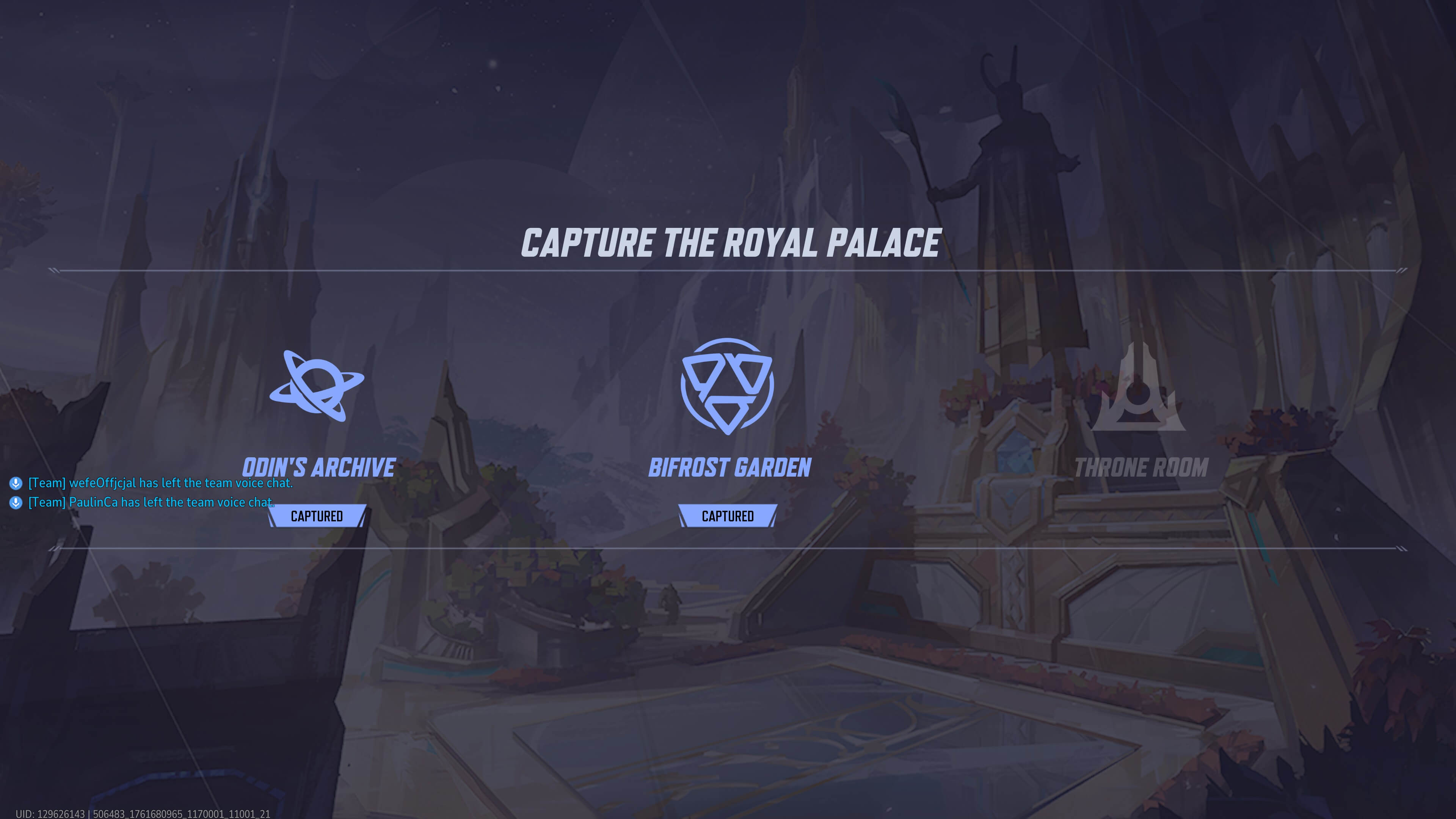
Bots leave voice chat before others.
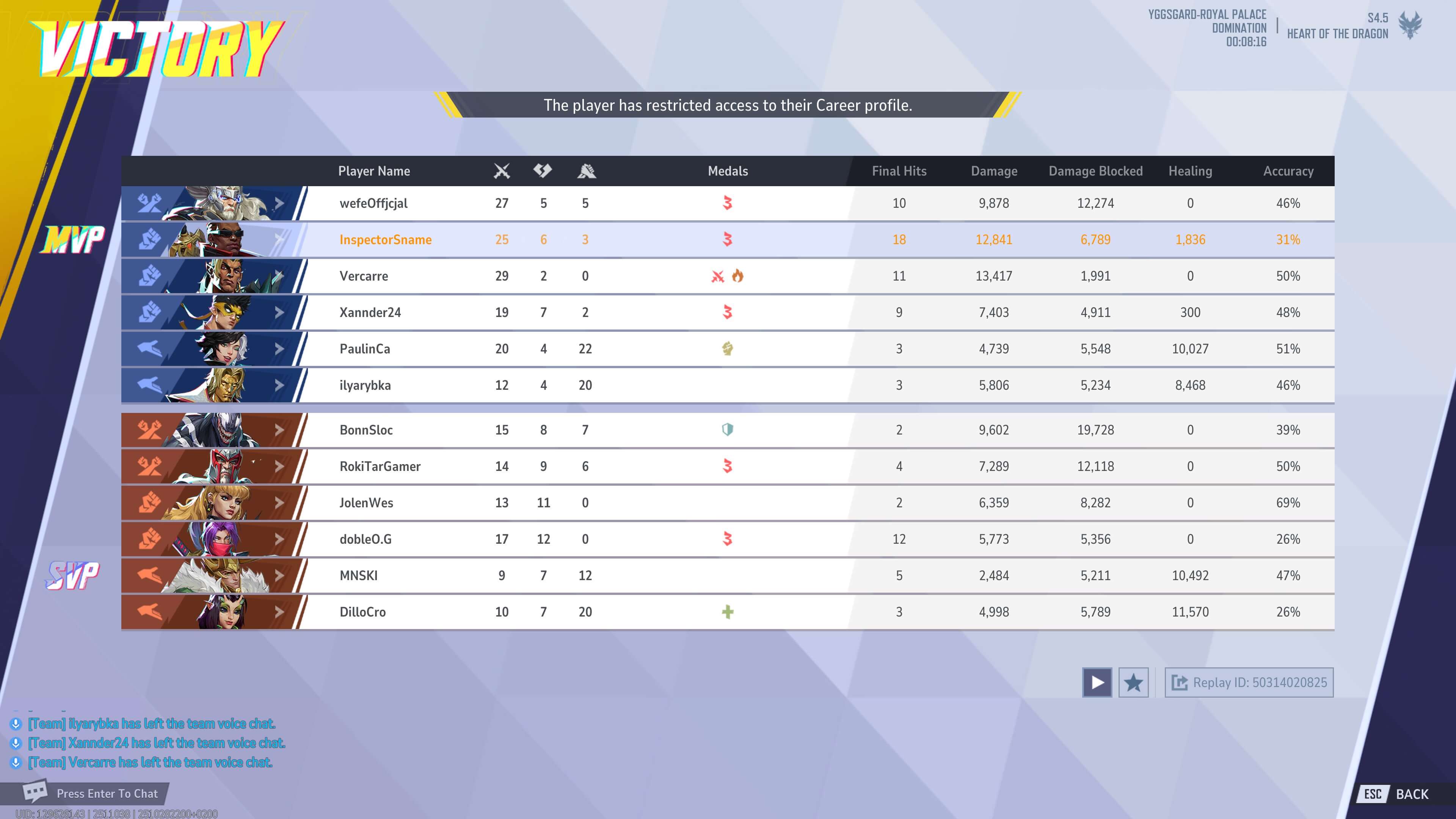
When trying to view a bot’s profile, the game shows:
The player has restricted access to their Career profile.
For comparison, a real player who has hidden their profile will show:
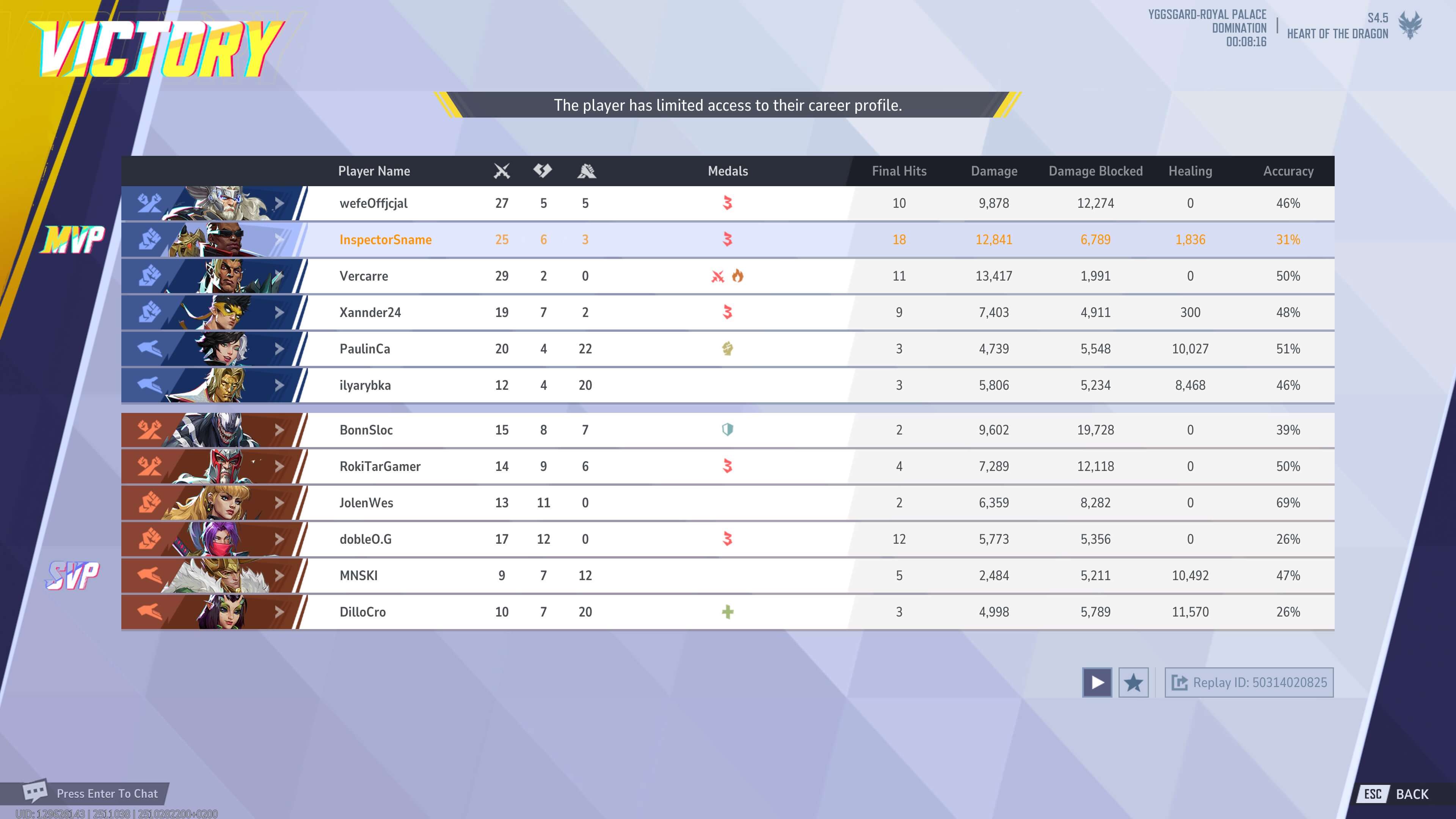
The player has limited access to their career profile.
(However, in other localizations, there may be no difference.)
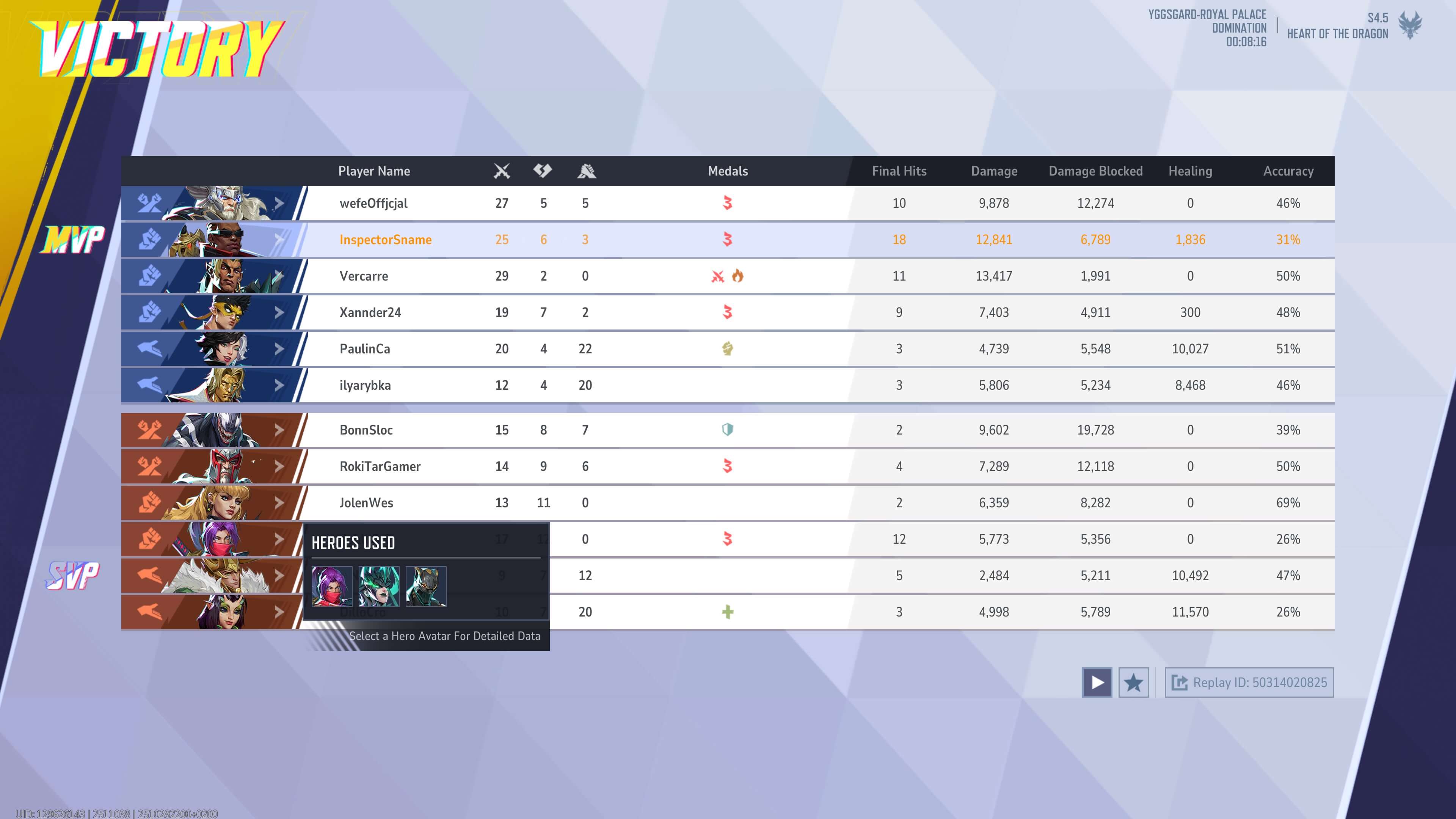
Bots switch characters during the match while staying within their role. Damage dealers remain damage dealers, tanks remain tanks, supports remain supports. Real players often switch roles if the game isn’t going well.
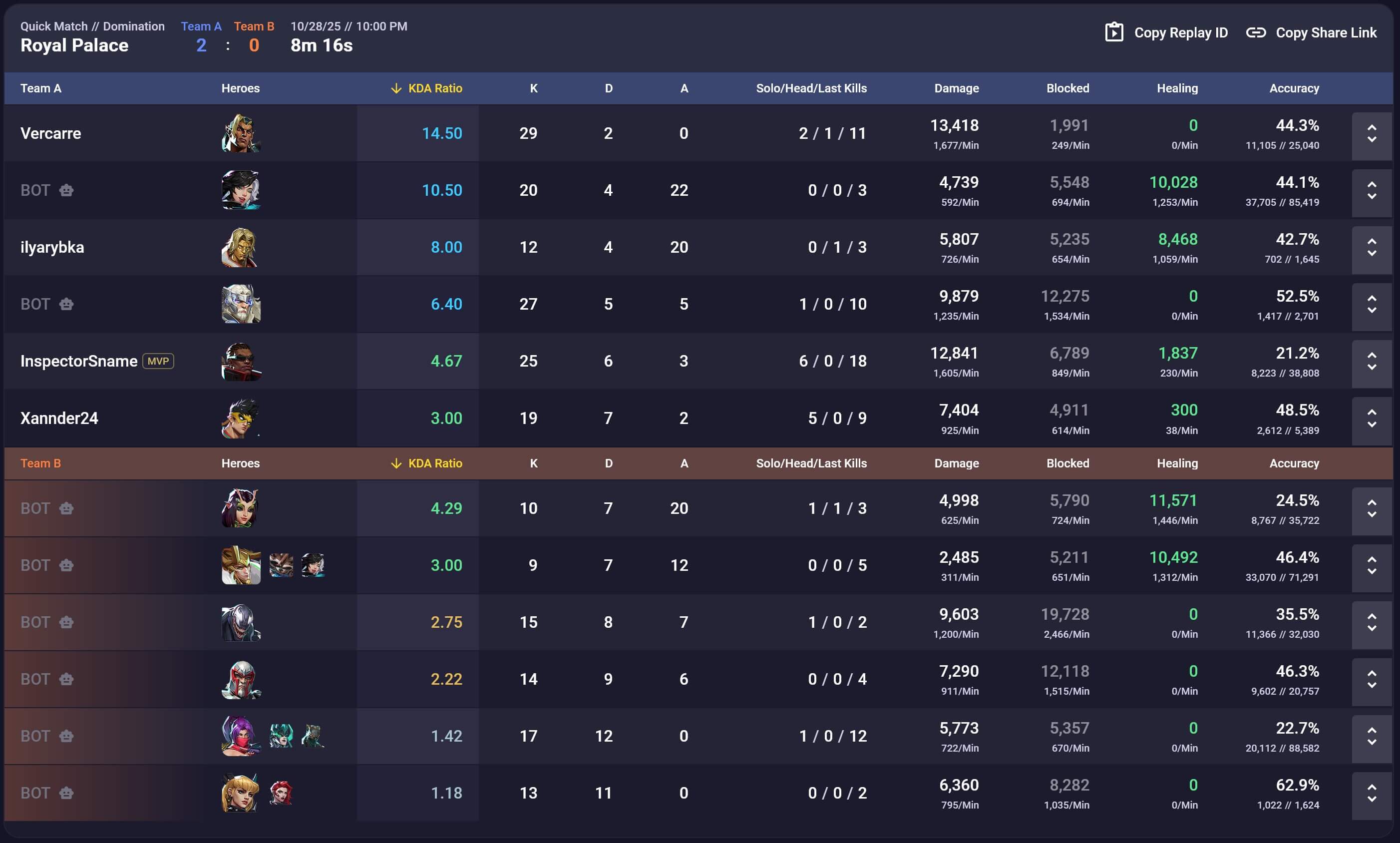
Finally, if you find the match on a tracking website, it looks like this:
What To Do If You Get Bots
Play it out. If you leave such a match, you’ll get a warning the first time, and then restrictions on starting the next match.
So there aren’t many options. You can go one of two ways:
-
Quickly eliminate everyone using high-damage heroes (for example, Moon Knight). Keep in mind that bots don’t care about the objective, so you can often capture the payload alone and push it to the end while they are busy fighting your team elsewhere.
-
Try a new role or hero — you have nothing to lose. In the worst case, your team will likely manage without you.
Keep in mind that allied bots try to complete the team to a 2-2-2 composition and support team-ups. So at the start of the match, by switching heroes, you can “roll” a favorable team-up.
Not Every Easy Match Has Bots
It’s also interesting when the game gives you bot matches.
The first match on a new account is always against bots. The exception is if you immediately play in a party with experienced friends.
In other cases, bot matches usually appear after a losing streak. Often after one or two losses, but sometimes even after just one.
Sometimes, if two friends play together and one performs well while the other does not, bot matches may not appear at all, even after losses. However, once they split up and play solo, the weaker player may get a bot match — even if their last duo match was a win.
Finally, bot matches may sometimes occur after a long break or after playing other modes (such as zombie mode).
It seems that each account has some kind of “fatigue level” tracked by the game. This level is based on performance efficiency and time between matches. Once the average fatigue level of the team (or the individual, if playing solo) reaches a certain threshold, the game gives a bot match. Winning that match resets fatigue — but not completely, since another loss immediately after often leads to another bot match.
How To Avoid Bot Matches
Players generally have no direct control over this. The only practical advice is to avoid losing streaks.
For example, if you are learning a new hero and lose a match, it’s better to play the next one with a hero you are more comfortable with.
Another useful tip is to take breaks after two consecutive losses. Not all losses are caused by poor matchmaking — sometimes it’s just fatigue. MR is much more intense than games like CS, with a higher number of events per unit of time, so fatigue builds up faster.